
How to Automate Bank Reconciliation: Excel, Software, AI
By Soniya Ali, Book Keeping Department Head at eLeopards Technologies · 16 Nov 2026 · 6 min read
Quick answer
Bank reconciliation can be automated in steps: bank feeds, matching rules, spreadsheet formulas and AI suggestions. See what to set up first and what to keep checking.
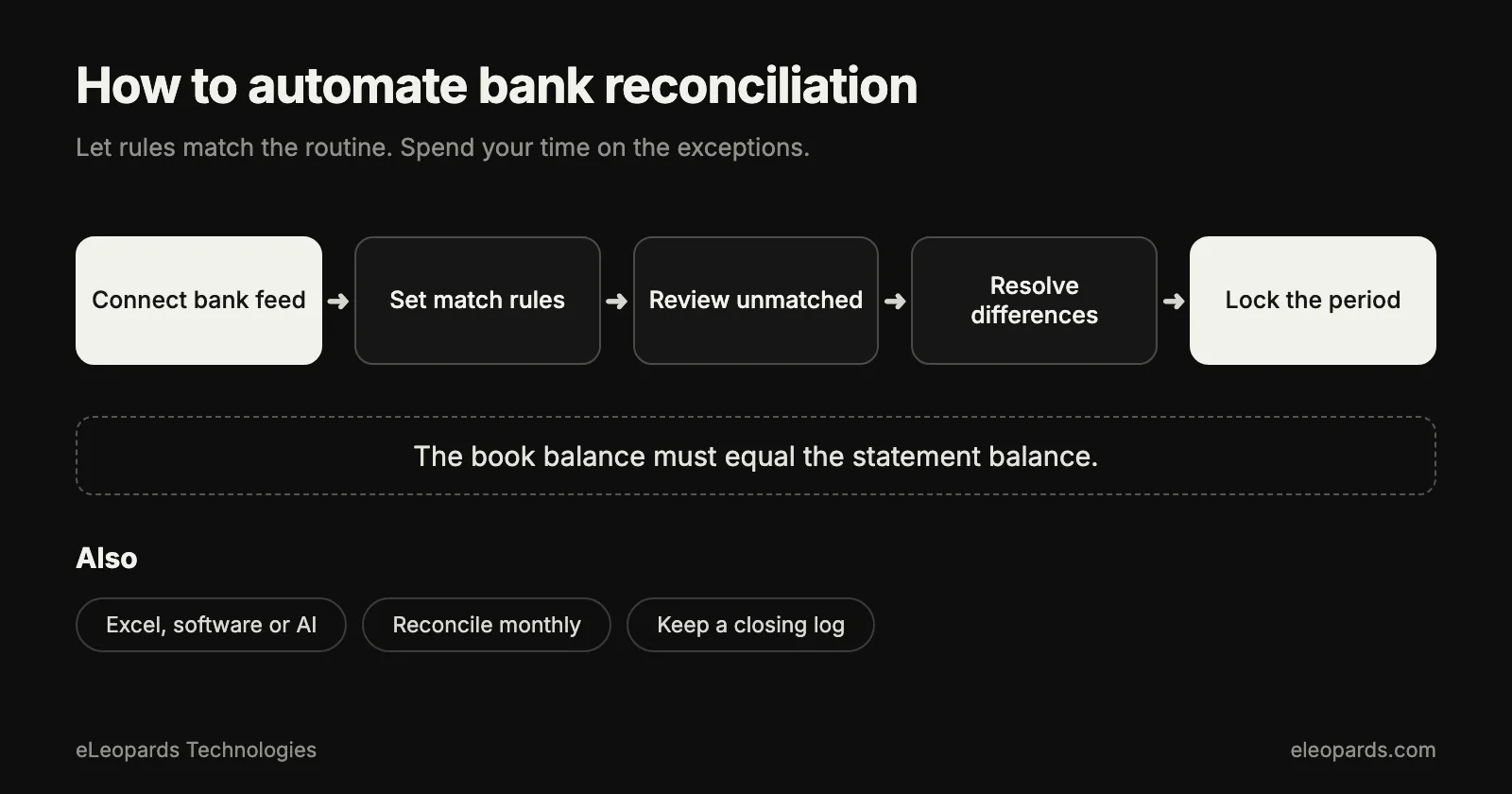
To automate bank reconciliation, connect your bank feed to accounting software, add matching rules for repeat transactions, and let the software suggest matches for the rest. You then review the exceptions instead of ticking off every line. A spreadsheet can do a lighter version, and AI suggestions can speed up the unclear items.
What is bank reconciliation?
Bank reconciliation compares the transactions in your accounting records with your bank statement and explains any difference. It catches duplicate entries, missing receipts, bank fees and mistakes early, while they are still easy to fix.
What are the main ways to automate it?
- Bank feeds: transactions flow into your accounting software every day, so nothing is typed by hand.
- Matching rules: repeat items such as rent, software subscriptions and payment processor payouts are matched or categorised automatically.
- Suggested matches: the software proposes a likely invoice or bill for each deposit or payment, and you confirm with one click.
- Spreadsheet formulas: lookups and conditional formatting compare two lists and highlight the mismatches.
- AI assistance: a model reads unclear descriptions and suggests a category or a probable match, which you approve.
How do you automate reconciliation in Excel or Google Sheets?
Export the bank statement and your ledger as two tables with a date, an amount and a short description. Add a helper column that combines date and amount into one key, then use a lookup to find each key in the other table. Rows that return no match are your exceptions.
Sort exceptions by amount and date. Many turn out to be timing differences, such as a payment that clears a few days after you recorded it. This approach suits a few hundred transactions a month. Beyond that, a bank feed saves hours.
How do you set it up in accounting software?
- Connect the bank or card account and pick a start date that matches your last reconciled statement.
- Review the first month by hand so you trust the matches.
- Create rules for the ten or twenty transactions that repeat every month.
- Turn on suggested matching for invoices and bills.
- Reconcile on a fixed day each week or month, so the exception list stays short.
Where does AI help most?
AI is strongest on the long tail: unclear descriptions, split payments, and deposits that cover several invoices. It can propose the most likely explanation and show why, which turns a ten-minute investigation into a quick approval.
Keep a person in charge of approving matches and of the final balance. A suggestion is a starting point, and the reconciled total must equal the statement.
What should you keep checking?
- Opening balance matches the previous statement.
- Closing balance matches the new statement exactly.
- Large or unusual items have a supporting document.
- Rules still make sense after a vendor, price or process changes.
- Old unmatched items are cleared or explained, not carried forward for months.
A realistic order of operations
Start with bank feeds and ten good rules. Add suggested matching once the first month looks right. Bring in AI suggestions for the exceptions after that. Each step shortens the monthly task, and you can stop at whichever level suits your volume. Our monthly bookkeeping checklist shows where reconciliation fits in the wider close.
Common questions
- How do I automate bank reconciliation?
- Connect a bank feed to your accounting software, add matching rules for repeat transactions, turn on suggested matches, and review only the exceptions each week or month.
- Can I reconcile a bank statement in Excel automatically?
- Yes. Put the statement and the ledger in two tables, build a key from date and amount, and use a lookup to flag rows that have no match.
Sources and further reading
- IRS: recordkeeping for small businesses — What records to keep and for how long
- U.S. Small Business Administration: manage your finances — Budgeting, accounting and cash flow basics
Want help with this?
Tell us what you are working on and we will reply within one business day.