
Website Speed: Why It Matters and How to Improve It
By Aqib Jon, Web Developer at eLeopards Technologies · 15 Oct 2026 · 5 min read
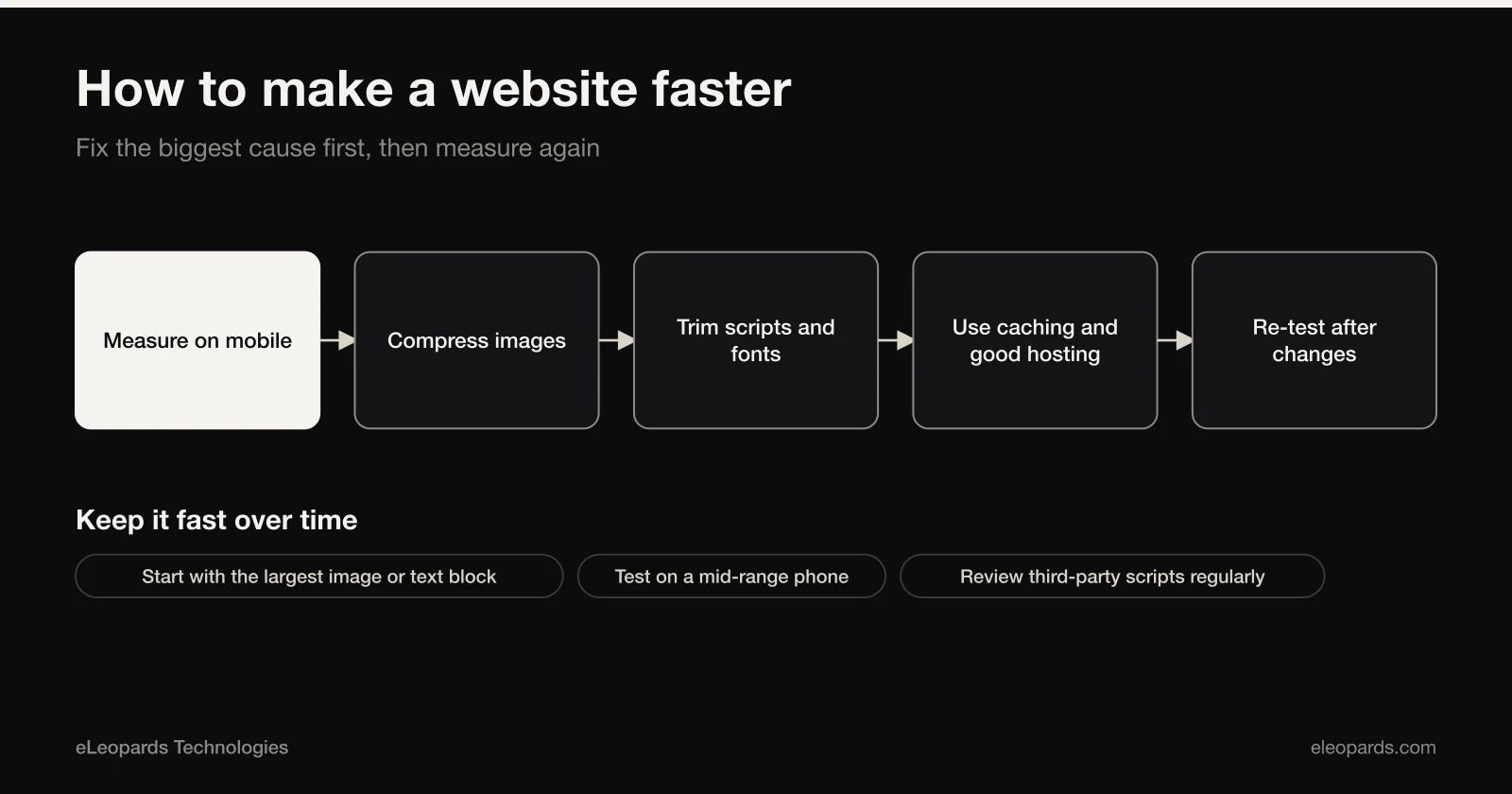
Quick answer
The practical steps that make most websites noticeably faster.
Slow pages frustrate visitors and can hold back search performance. The good news is that a handful of fixes usually deliver most of the improvement.
Fix images first
- Resize images to the size they are displayed, not the size your camera produced.
- Use modern formats such as WebP or AVIF.
- Lazy-load images below the fold, but not the main image at the top.
Reduce what the browser must load
- Remove plugins, scripts and fonts you do not use.
- Limit font families and weights.
- Delay third-party scripts such as chat widgets and trackers.
Choose fast hosting
Use a reliable host with a content delivery network so pages are served from a location near the visitor. Server-rendered or static pages usually load faster than ones that build everything in the browser.
Cache sensibly
Set long cache lifetimes for static files so returning visitors do not download them again.
Why speed affects your results
People are impatient, especially on phones with a weak connection. A page that takes a long time to appear loses visitors before they have seen your offer, and a slow checkout or form loses enquiries. Speed also feeds into how search engines judge page experience, so it supports both visitors and visibility.
Common causes of a slow site
- Large, uncompressed images and videos.
- Too many scripts, fonts and third-party widgets.
- Cheap or distant hosting with slow response times.
- Heavy page builders or plugins that add unused code.
- No caching, so every visit rebuilds the page.
A quick audit you can do today
Run your home page and one inner page through PageSpeed Insights on mobile. Read the opportunities list, which shows the biggest savings first. Then open the page on your own phone using mobile data and notice how it feels. The test and the real experience together point to what to fix first.
Keep it fast over time
Sites slow down as new content, plugins and tracking tools are added. Set a rule that every new image is compressed, review third-party scripts every few months, and re-test after major changes. A little regular care is cheaper than a large cleanup later.
Measure before and after
Test with PageSpeed Insights on mobile, change one thing at a time, and check the result. Focus on real user experience, not a perfect score.
Want help with this?
Tell us what you are working on and we will reply within one business day.
Start a Project