
What Is MCP (Model Context Protocol)? A Plain Guide for Business Owners
By Aqib Javeed, Co-Founder / CEO at eLeopards Technologies · 6 Nov 2026 · 6 min read
Quick answer
MCP lets AI assistants connect to your tools and data in a standard way. Here is what it is, why it matters and where to start safely.
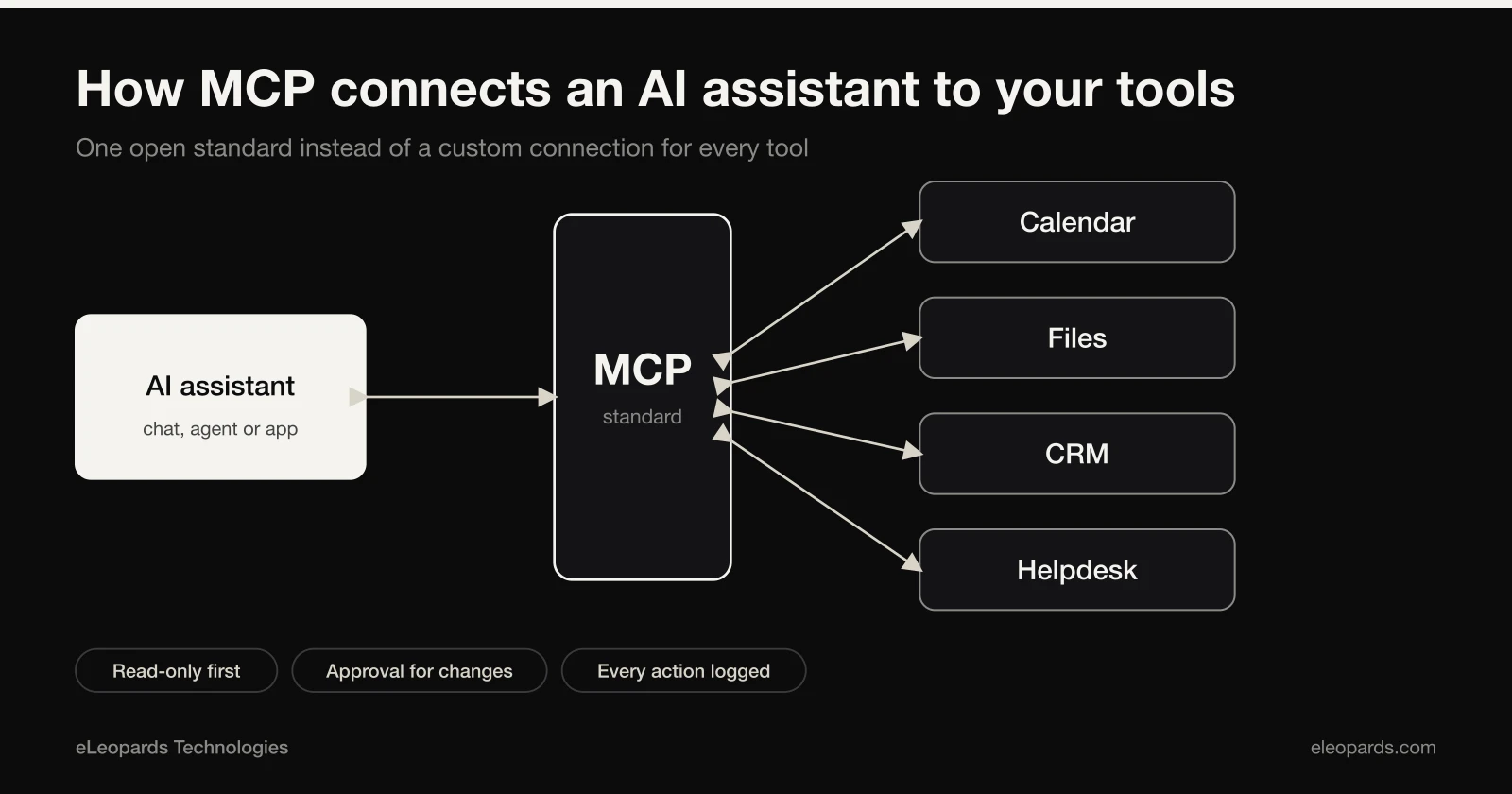
MCP, short for Model Context Protocol, is an open standard that lets an AI assistant plug into other software, such as your calendar, files, database or helpdesk, through one common connector. Instead of building a custom link for every tool, developers build to the standard once. It has quickly become one of the most discussed building blocks of AI agents.
The problem MCP solves
An AI model on its own only knows what it was trained on and what you paste into the chat. To be useful at work it needs to read your documents, look up an order or create a task. Before a shared standard, every connection was a one-off project that broke when either side changed.
MCP defines a common way for an AI application to discover what a tool can do and call it. Think of it as a universal plug: a tool that offers an MCP connection can be used by any assistant that speaks the same standard.
How it works in plain terms
- An MCP server wraps a tool or data source and lists the actions it offers, such as search orders or create invoice.
- An AI application connects to that server and shows the available actions to the model.
- The model asks to use an action, the application runs it and the result goes back to the model.
- You decide which actions are allowed and which need a human to approve first.
What this means for a small business
In practice, MCP makes it cheaper to build an assistant that can actually do things: answer a customer using live order data, draft a quote from your price list or log a lead in your CRM. The same connector can be reused as you change which AI model you use.
You do not need to understand the protocol to benefit. You need to know which of your tools already offer a connection, or whether a small connector is worth building for the one system your team uses most.
Safety questions to ask first
- What can the assistant read, and what can it change? Start with read-only access.
- Which actions require a person to confirm, such as sending a message or issuing a refund?
- Where are the access keys stored, and can you revoke them quickly?
- Is there a log of what the assistant did, so mistakes can be traced?
- Do you trust the source of every connector you install? Treat third-party connectors like any other software.
A sensible first project
Pick one narrow, low-risk job, such as an assistant that searches your help articles and order status and drafts replies for a person to review. Give it read-only access, test it on real questions and expand only after you trust the results. This is the same approach we use when building AI tools for clients.
Want help with this?
Tell us what you are working on and we will reply within one business day.
Start a Project